In this article
Most small businesses in Saudi Arabia start selling with a phone, a chat app, and a spreadsheet. That works until it does not. A lead goes cold because nobody followed up, a quotation goes out with the wrong VAT, or a customer calls about an order and no one can find the history.
A customer relationship management system, or CRM, fixes that by giving your team one shared record of every customer and every deal. This guide explains how to choose the best CRM in Saudi Arabia for a small or mid-size business, what to look for locally, and when a free CRM is all you need.
What a CRM is (and what it is not)
A CRM is a shared workspace for your customer relationships. At its core it stores leads, contacts, and companies, tracks each deal through stages, and reminds people what to do next. When it is used well, anyone on the team can open a customer record and see who spoke to them, what was offered, and what happens next.
It helps to be clear about what a CRM is not:
- It is not a contact list. Names and phone numbers are only the starting point. The value comes from the deals, notes, and follow-ups attached to them.
- It is not your whole back office. A CRM manages sales. Invoicing and bookkeeping are separate jobs, even when one platform covers both.
- It is not a fix for an unclear sales process. If your team cannot describe the steps from first call to signed deal, a CRM will simply record the confusion.
Signs your business needs a CRM
You need a CRM when losing track of customers starts to cost you money. Common signs:

- Leads arrive by phone, WhatsApp, email, and your website, and nobody has the full list.
- Follow-ups depend on one person's memory or a notebook.
- You cannot say how many deals are open and what they are worth without asking around.
- Quotations are copied from old files and edited by hand, so prices and VAT vary.
- When a salesperson leaves, their customer history leaves with them.
- Customers have to repeat their story every time they contact support.
If two or three of these sound familiar, it is time to set up a CRM.
What matters for a CRM in Saudi Arabia
Most CRM features are the same everywhere. A few details decide whether a system actually fits a Saudi business.

Full Arabic and right-to-left layout
An Arabic CRM should be more than translated menus. Look for screens that read right to left, Arabic text that displays correctly in lists and search results, and customer documents your clients can read in Arabic. If your team works in both languages, check that each person can switch between Arabic and English without affecting the data.
Prices in SAR and VAT on quotations
Your quotations should show amounts in Saudi riyals, with 15% VAT calculated on each line and in the total. Confirm that the system calculates the tax for you instead of relying on manual entry. A wrong VAT figure on a quotation turns into a wrong invoice later.
From deal to ZATCA-ready invoice
VAT-registered businesses in Saudi Arabia issue invoices under ZATCA's e-invoicing requirements. Your CRM does not have to be your invoicing system, but the path from a won deal to a tax invoice should be short. Ask whether a quotation can become an invoice without retyping, and how the invoicing side handles e-invoicing. Our guide to ZATCA e-invoicing covers the basics.
Support after the sale
The relationship continues after the invoice. When a customer raises an issue, your support team should see what they bought and what was promised. A CRM that connects to a help desk, or includes one, spares your customers from explaining everything again.
Data you control
Ask where your customer data is stored, who can access it, and how you can export all of it if you ever leave. Saudi Arabia's Personal Data Protection Law sets rules for handling personal data, so ask each vendor how they handle it. User access matters too: a new salesperson does not need to see every account on day one.
Must-have features vs nice-to-have
Long feature lists make every CRM look the same. Separate what you need on day one from what can wait.
Must-have features
- Leads, contacts, and companies in one place, with search that works in Arabic and English
- A visual pipeline with stages that match how you actually sell
- Follow-up reminders and notes on every record
- Quotations created from deals, in SAR with VAT
- Simple reports on open deals, won deals, and pipeline value
- An easy way to export your data
Nice-to-have extras
- Advanced automation and workflow rules
- Custom dashboards for each manager
- Email marketing campaigns
- Connections to other tools you already use
- Sales forecasting
Add extras once the basics are part of daily work. Buying them first usually means paying for features nobody opens.
When a free CRM is enough, and when to move to a team plan
A free CRM is a good starting point for a founder or a single salesperson. It lets you build the habit of logging every lead and follow-up without a budget decision. The real question is when one user stops being enough.

| Consideration | Free CRM for one user | Team plan |
|---|---|---|
| Who uses it | A founder or one salesperson | Two or more people sharing customers |
| Pipeline | One person's deals | Deals assigned and handed over between people |
| Visibility | You see your own work | A manager sees the whole pipeline |
| Access control | Rarely needed | Roles and permissions for each user |
| Customer history | Held by one person | Shared across sales and support |
| Cost | No subscription | Paid, so compare what each plan includes |
| Main risk | Everything depends on one person | Paying for seats or features you do not use |
Stay on a free plan while one person handles sales and the pipeline is small enough to review in one sitting. Move to a team plan when a second person starts talking to customers, when leads need to pass between people, or when a manager needs to review everyone's pipeline.
Also check what "free" really includes, since some free plans limit contacts, quotations, or features.
Your first 30 days: how to choose and roll out a CRM
A short, structured rollout works better than a long evaluation. Here is a plan for a small team.
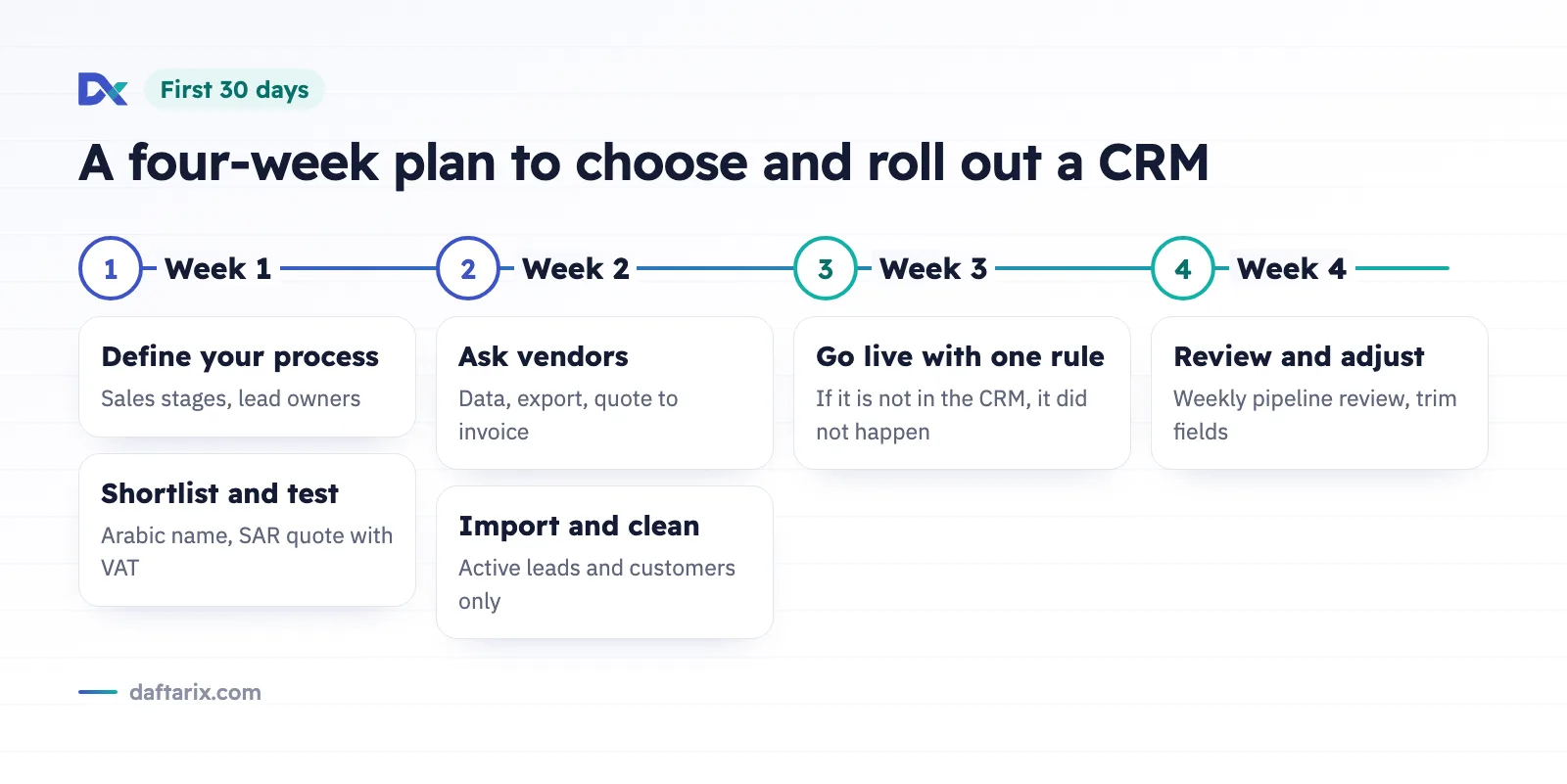
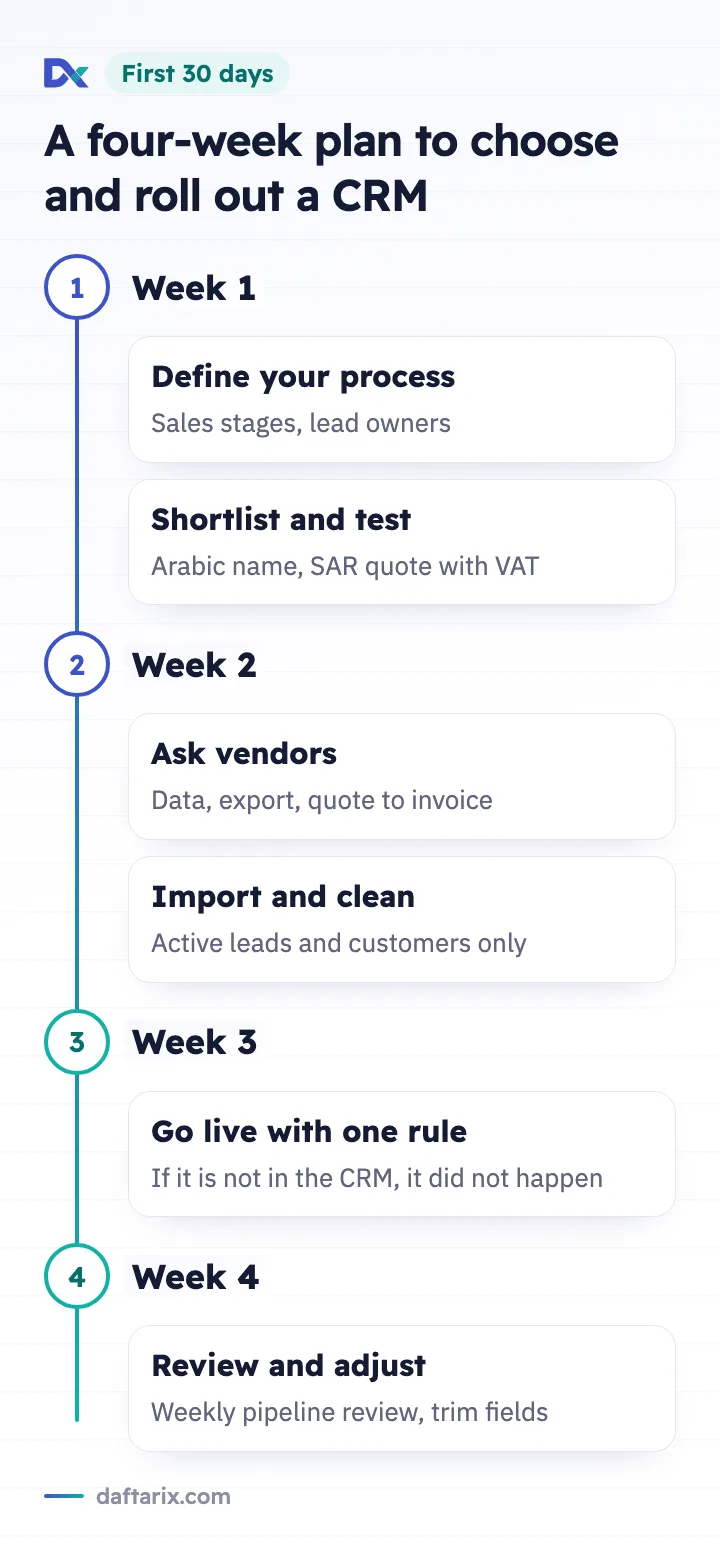
- Week 1: define your process. Write down your sales stages from first contact to won or lost. Agree on what counts as a lead and who owns each one.
- Week 1: shortlist and test. Pick two or three options and test each with real data: an Arabic company name, a quotation in SAR with VAT, and one follow-up.
- Week 2: ask vendors direct questions. Where is my data stored? How do I export it? How does a quotation become an invoice? What changes when we add users?
- Week 2: import and clean. Bring in current leads and active customers only. Leave old, duplicate, and incomplete records behind.
- Week 3: go live with one rule. Every new lead and every follow-up goes into the CRM. If it is not in the CRM, it did not happen.
- Week 4: review and adjust. Look at the pipeline together every week. Remove stages nobody uses and fields that slow people down.
Common mistakes to avoid
- Choosing on feature count. The best CRM is the one your team opens every day.
- Too many required fields. If logging a call takes two minutes, people stop logging calls.
- Keeping sales, invoicing, and support apart. Every handover between disconnected tools is a chance to lose details.
- No clear owner. One person should own the weekly pipeline review and data quality.
How Daftarix fits
Daftarix brings sales, invoicing, and support into one workspace in Arabic and English, with a right-to-left layout. The Daftarix CRM covers leads, contacts, companies, a visual pipeline, follow-ups, and quotations created from deals. With quotations and invoicing, those quotations become tax invoices in SAR with 15% VAT, and you can record payments and run reports. Invoicing is ZATCA e-invoicing ready. After the sale, the help desk keeps each ticket next to the customer's history.
All three tools are lifetime free for one user. Teams can ask us for pricing.
Frequently asked questions
What is the difference between a free CRM and a paid CRM?
A free CRM usually covers one user or a limited set of features. Paid plans add users, shared pipelines, and manager controls. For a founder or one salesperson, a free CRM is often enough.
Does my CRM need to be in Arabic?
If your team or your customers work in Arabic, yes. A proper Arabic CRM shows screens right to left, finds Arabic names correctly in search, and produces documents your customers can read.
Can a CRM issue ZATCA e-invoices?
A CRM manages sales, and e-invoices come from your invoicing system. Check how easily a won deal and its quotation become a tax invoice that follows ZATCA's requirements.
How long does it take to set up a CRM?
A small team can start working in a CRM within a few days and settle in within a month, following a plan like the 30-day rollout above.
Want to see how this works in practice? Start with Daftarix free for one user, or see pricing for teams. For team questions, write to sales@daftarix.com.